AI photo culling in 2026: what it can and can't do
A practical, honest guide on where AI culling tools actually help (blink detection, blur, duplicates) and where they fall short (emotional moments, creative intent). Compares Aftershoot, Imagen, Narrative Select.
AI culling tools have become the biggest conversation in professional photography workflows since Lightroom went subscription. Aftershoot alone claims 188,000 users. Imagen, Narrative Select, and others are all competing for a spot in your post-production pipeline. The pitch is always the same: let AI do the tedious work so you can focus on creativity. But after two years of these tools being widely available, the reality is more nuanced than the marketing suggests. This post is an honest breakdown of what AI culling actually does under the hood, where it genuinely saves you time, and where it still falls short in ways that matter.
What AI culling actually does (technically)
Most AI culling tools work by running each image through a series of convolutional neural networks trained on large datasets of photographer-rated images. The models typically evaluate several dimensions independently: technical quality (sharpness, exposure, noise), facial analysis (eyes open, expression, gaze direction), composition heuristics (rule of thirds, leading lines, subject placement), and duplicate/similarity clustering. The results are combined into a confidence score, and images above a threshold get flagged as selects. Some tools like Aftershoot train a personalized model on your previous culling decisions to learn your preferences over time. Others like Imagen lean more heavily on a generalized model with style presets. The important thing to understand is that none of these tools "see" your photos the way you do. They're pattern matchers running statistical inference. They're very good at detecting specific, well-defined problems—and genuinely bad at understanding context, narrative, or creative intent.
Where AI culling works well
Let's give credit where it's due. AI is legitimately excellent at three things during culling. First, blink and expression detection. Identifying closed eyes, mid-blink frames, and awkward expressions across group shots is tedious, mechanical work. AI handles this reliably, especially in well-lit portrait situations. If you shoot family sessions or corporate headshots, this alone can save 20-30 minutes per shoot. Second, technical reject detection. Out-of-focus images, severe motion blur, and badly blown exposures are easy for AI to flag. These are the frames you'd reject in the first two seconds anyway—having them pre-flagged just removes the mechanical act of pressing X a few hundred times. Third, duplicate and near-duplicate clustering. When you fire 15 frames of the same composition, AI is good at grouping those into a sequence and surfacing the sharpest one. This is particularly useful for burst shooters—sports, wildlife, event photographers who generate thousands of near-identical frames.
Where AI culling falls short
Here's where it gets honest. AI culling consistently struggles with several categories that matter enormously to working photographers. Emotional moments: the image where the groom's composure breaks for exactly one frame, the flower girl mid-laugh with slight motion blur, the father wiping his eye in the background of an otherwise unremarkable wide shot. These are often technically imperfect images that tell the story of the day. AI sees blur and an off-center subject. You see the moment that makes the gallery. Creative intent is another blind spot. If you intentionally underexpose for mood, shoot through foreground elements for texture, or use slow shutter speeds for creative blur, AI will penalize those images. It has no way of knowing you chose that look. Non-portrait genres expose the limitations further. Landscape, architecture, product, and food photographers report that AI culling tools—most of which are trained heavily on portrait and wedding data—make poor selections outside those domains. The models simply haven't seen enough rated examples of what makes a great architectural detail shot versus a mediocre one.
Aftershoot, Imagen, and Narrative Select compared
Aftershoot is the market leader with 188,000 users and the most mature personalized learning system. You cull a few shoots manually, and its model adapts to your style over time. The results genuinely improve after 5-10 training shoots, though photographers report it plateaus and still requires significant manual review—typically 30-50% of its selections need adjustment. It works best for wedding and portrait photographers with consistent shooting styles. Imagen (formerly ImagenAI) has expanded from its AI editing roots into culling. Its strength is the integration between culling and style-matched editing in one pipeline. The culling itself is competent but less customizable than Aftershoot's personalized approach. Narrative Select is the most photographer-focused of the three, built by wedding photographers for wedding photographers. Its AI suggestions are tightly integrated with a manual culling workflow rather than trying to replace it entirely. The AI surfaces suggestions, but the interface is designed around the assumption that you'll be making the final calls yourself. All three require a subscription ($10-30/month) and either cloud processing or significant local GPU resources. Processing times vary from 5-30 minutes depending on shoot size and your hardware.
The fundamental tension: speed vs. trust
The real issue with AI culling isn't accuracy percentages—it's trust. When Aftershoot reports 90% agreement with your manual selections, that sounds impressive. But for a 2,000-image wedding, 10% disagreement means 200 images you need to verify. And the images AI gets wrong aren't random—they're disproportionately the edge cases. The emotional moments. The creative risks. The images that separate your work from everyone else's. So you end up in a strange workflow: AI culls your shoot, then you review the AI's work, second-guessing decisions on exactly the images that require the most attention. Some photographers find this slower than just culling manually with efficient keyboard shortcuts, because the mental overhead of reviewing someone else's decisions (even an algorithm's) is different from making your own. You lose the flow state. You're auditing rather than creating. This isn't true for everyone. If you shoot high-volume events with 10,000+ frames and your primary concern is eliminating technical rejects quickly, AI culling is a clear time-saver. But for narrative-driven work where the cull is part of your creative process, the value proposition is less clear-cut.
A different approach: speed-first manual culling with AI assist
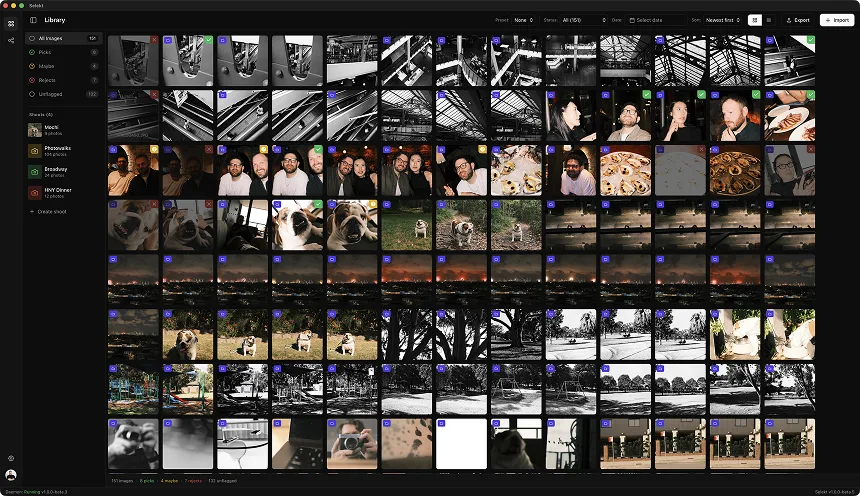
There's a middle ground that more photographers are gravitating toward: instead of handing the entire cull to AI, keep yourself in the driver's seat but use AI to remove friction from the mechanical parts. This is the approach Selekt takes. The core culling experience is manual—you're making every pick and reject decision yourself, at speed, with single-keystroke ratings and instant image loading. AI assists at the edges: flagging obvious technical rejects so you can skip past them faster, clustering duplicates so you can compare burst sequences side by side, and surfacing potential blinks in group shots as a heads-up rather than an automatic rejection. The difference is philosophical. AI-first tools ask you to trust the algorithm and review its mistakes. Speed-first tools let you move through images at 1-2 seconds each with a workflow designed around human decision-making, using AI to accelerate the parts that don't require creative judgment. For a 2,000-image wedding, a fast manual culler with good keyboard shortcuts and instant previews gets through the entire shoot in 40-60 minutes. That's comparable to AI cull time plus review time, but you've seen every image and made every decision yourself.
When to use AI culling (and when not to)
AI culling makes genuine sense in specific scenarios: high-volume sports and event photography where technical quality is the primary filter, studio portrait sessions with consistent lighting and posing where the model's training data closely matches your work, and any situation where you have 10,000+ frames and your first priority is eliminating the obvious misses. Think twice about AI culling for: wedding and documentary work where emotional moments matter more than technical perfection, any genre where you regularly make intentional creative choices that break conventional rules (moody underexposure, motion blur, unconventional framing), and small-to-medium shoots under 1,000 images where the overhead of running AI and reviewing its output exceeds the time you'd spend just culling manually. The honest truth is that AI culling is a genuinely useful tool that's been oversold as a revolution. It handles the mechanical parts of culling well and the creative parts poorly, which means it works best when integrated into a human-driven workflow rather than replacing one. The best approach in 2026 is probably not "AI or manual" but figuring out exactly which parts of your culling process benefit from automation and which ones need your eye, your taste, and your understanding of the story you're telling.
Related
Ready to speed up your culling?
Selekt is a free photo culling app for macOS & Windows with keyboard shortcuts, AI tagging, and Lightroom export.
Download free