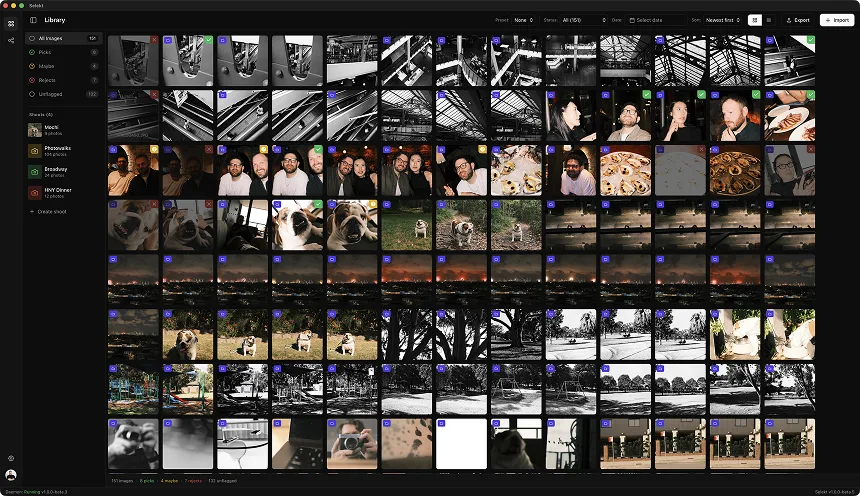
The best Mac photo culling software depends on the decision you want the app to make. Photo Mechanic is strongest when ingest and metadata drive the deadline. Aftershoot can propose a first-pass selection. Narrative adds face, eye, focus, comparison, and scene tools. Selekt keeps selection manual while adding on-device quality signals and related-frame grouping. Lightroom Classic remains practical when you want to stay inside one catalogue.
All five can fit a professional workflow. The useful question is whether your bottleneck is ingest, technical screening, comparing faces and bursts, handing selects to an editor, or simply avoiding another subscription.
Mac checks before you choose
Check the operating system and processor requirements against the exact Mac you use. Current Photo Mechanic requires macOS 13 or later and runs natively on Apple silicon. Narrative and Aftershoot publish Mac support, but camera-format and hardware requirements can change. Test current builds rather than relying on old forum reports about “native” versus cross-platform frameworks.
Then inspect your downstream path. Narrative documents one-click shipping to Lightroom Classic and additional Mac destinations. Photo Mechanic is built around handing files to external editors. Lightroom Classic keeps ratings, flags, Compare, and Survey in its own catalogue. Selekt is designed for a focused desktop cull and export rather than replacing a full editor or digital asset manager.
A MacBook display can be excellent, but a cull still benefits from checking critical focus at an appropriate zoom. Embedded RAW previews can vary by camera settings, so inspect both preview speed and preview fidelity.
The Mac shortlist, including an Apple-only option
Photo Mechanic suits deadline ingest, captions, renaming, and hand-off. Standard remains available; Camera Bits withdrew Photo Mechanic Plus in February 2026 because its catalogue component was no longer stable. Current Standard list prices are US$14.99 monthly, US$149 annually, or US$299 perpetual with one year of updates.
PhotoCuller is built specifically for Apple silicon Macs running macOS 15 or later, with iPhone and iPad versions. It combines ingest and IPTC tools with focus peaking, exposure warnings, face close-ups, similar-scene grouping, Apple Photos sources, and external-editor workflows. Its canonical pricing page lists localised one-time prices displayed as $59 for two devices or $79 for four, with different update/mobile-access periods; confirm currency and tax at checkout.
Aftershoot offers automated or assisted first-pass culling. Select currently lists at US$10/month with annual billing or US$15 month-to-month, includes unlimited processing, and has a 30-day trial.
Narrative is paid after its Ultra trial. Lite starts at US$10/month billed annually or US$15 monthly. Standard, which adds advanced AI, Scenes View, and Close-ups, is US$20/month billed annually or US$29 monthly before temporary promotions.
Selekt keeps final selection manual. Free includes unlimited culling, local focus/exposure/blur scoring, and burst, similar-frame, and near-duplicate grouping. Optional cloud analysis includes 100 analyses monthly on Free. This comparison focuses on the verified Mac desktop workflow.
Match the Mac workflow to the tool
| Mac workflow | Candidate | Verify before committing |
|---|---|---|
| Apple Photos, Mac/iPad/iPhone continuity, perpetual licence | PhotoCuller | Requires Apple silicon and macOS 15+; mobile access duration depends on licence |
| Ingest, IPTC, code replacements, deadline delivery | Photo Mechanic | Plus catalogue is unavailable; plan a separate archive |
| AI produces a proposed first pass | Aftershoot | Audit expressions, story, and mandatory client coverage |
| Face, eye, focus, and ranked-scene assistance | Narrative Standard+ | No permanent free plan; use the trial on a full job |
| Manual selection with local technical signals | Selekt | Cloud tagging allowance is separate from unlimited local culling |
| One catalogue for cull and edit | Lightroom Classic | Compare the extra catalogue work with a dedicated app hand-off |
PhotoCuller is the clearest Apple-specific alternative here. Selekt is the cross-platform choice for photographers moving between Mac and Windows. Photo Mechanic remains the metadata-heavy choice; Aftershoot and Narrative make the most sense when their particular AI assistance addresses the real bottleneck.
Test a complete Apple workflow
Copy one representative RAW shoot and run it through two candidates. Check camera-format support, a burst at useful zoom, face inspection, and the transfer of flags or ratings into your editor. If Apple Photos matters, test an album source and the returned files rather than assuming an XMP workflow behaves the same. If iPad culling matters, PhotoCuller ships it today; Selekt does not.
Also test the oldest Mac you still use on location. Embedded-preview quality varies by camera, and vendor speed claims cannot predict your storage, preview settings, or display. Check canonical pricing in your region immediately before purchase.
Which Mac culler should you try first?
- Choose Photo Mechanic for news, sports, editorial, or any workflow where ingest, captions, code replacements, and rapid delivery are central.
- Choose Aftershoot when high volume makes an AI-generated first pass attractive and you are willing to audit it.
- Choose Narrative for portraits and weddings when faces, eye checks, focus checks, and scene ranking dominate the decision.
- Choose Selekt when you want unlimited free manual culling, local technical signals, and related-frame groups without handing creative picks to an auto-culler.
- Stay with Lightroom Classic when its Compare, Survey, flags, and ratings already meet your needs and another hand-off would cost more time than it saves.
Run the two closest matches against one representative job. A sports deadline and a family-session cull reward different software, even on the same Mac.
Sources and further reading
- Camera Bits: Photo Mechanic pricing ↗
- Camera Bits: Photo Mechanic Plus is no longer available ↗
- Camera Bits: supported formats and embedded RAW previews ↗
- Camera Bits: system requirements ↗
- PhotoCuller features ↗
- PhotoCuller pricing ↗
- Aftershoot current pricing ↗
- Narrative current pricing ↗
- Adobe: compare photos in Lightroom Classic ↗
- Selekt pricing and plan details ↗