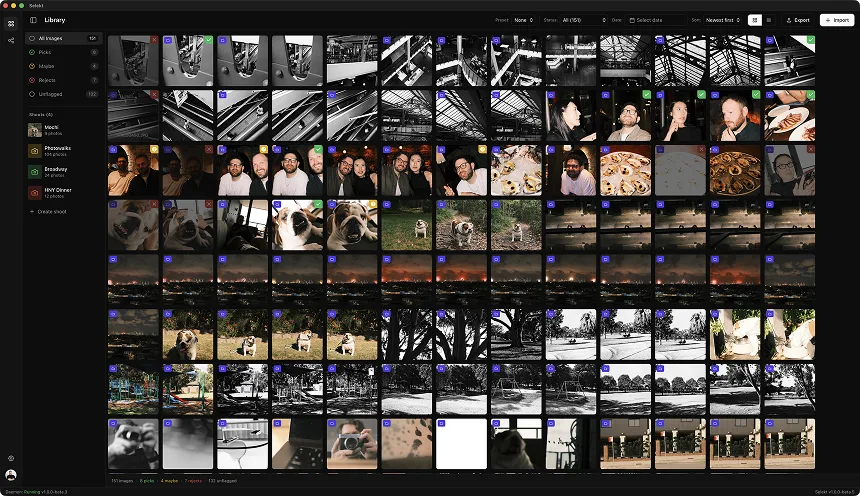
You drove four hours, hiked two more, and waited through three false dawns for the light to hit that ridgeline just right. You shot 200 frames across two hours as conditions evolved. Now you're home with a memory card full of images that all look similar at thumbnail size - same composition, same location, infinitesimally different light.
Landscape photography culling is fundamentally different from high-volume genres. You're not looking for the best 50 out of 500. You're often looking for the one frame - maybe two or three - where everything aligned. Light, atmosphere, composition, and luck.
Here's how to cull landscapes efficiently without second-guessing yourself for hours.
Why landscape culling is different
Illustrative comparison: frame and keeper counts vary by photographer and assignment.
Landscape photography has unique characteristics that change the culling equation:
Fewer frames, higher stakes. A wedding photographer shoots 3,000 images and delivers 500. A landscape photographer might shoot 200 images on a good outing and process 3. The ratio is brutal, which makes every rejection feel consequential.
Incremental variation is the norm. Unlike event photography where each burst captures a different moment, landscape sequences often capture the same scene as light slowly evolves. The difference between Frame 47 and Frame 48 might be ten seconds of shifting color temperature. Both look almost identical at first glance.
Technical brackets complicate selection. If you're shooting exposure brackets for HDR, focus stacks for depth, or time-lapses, you need to evaluate sequences rather than individual frames. The "best" single frame might be part of an inferior bracket set.
Light quality is everything. A technically perfect frame shot in flat midday light loses to a slightly noisier frame shot during magic hour. Your culling hierarchy puts light quality above almost everything else.
You remember the scene too well. Emotional attachment clouds judgment. That sunrise was transcendent to experience - but does the image convey that? Culling landscapes requires separating memory from photograph.
Step 1: organize by location and session
Before evaluating individual frames, group your images by shooting session and location:
Session grouping: If you shot at multiple locations on the same day, separate them. The beach at sunrise and the forest trail in the afternoon are different culling contexts.
Time-based scene detection helps: Natural breaks in shooting - driving between locations, waiting for better light, repositioning - create automatic scene boundaries. A 30-minute gap while you hiked to a new vantage point separates distinct shooting contexts.
Light phase grouping within sessions:
- Pre-golden hour: Flat light, establishing shots, composition tests
- Golden hour: Side light, warm tones, long shadows
- Magic hour: Soft, diffused, color-saturated
- Blue hour: Cool tones, lingering color in sky, city lights emerging
- Night: Stars, long exposures, artificial light
Your culling approach differs by light phase. Pre-golden-hour frames are usually tests; magic-hour frames are where the keepers live.
Bracket/sequence identification: Flag any exposure brackets or focus stacks before individual evaluation. These need to be evaluated as sets, not individual frames.
Step 2: the light quality first pass
Your first culling pass should sort by light quality, not composition. This is counterintuitive - composition feels more important - but light changes and composition (usually) doesn't.
Immediate rejects based on light:
- Flat, overcast sky with no drama or texture
- Harsh midday light with blown highlights and black shadows
- Transition periods where light is neither interesting nor useful
- Overexposed highlights you can't recover in processing
- Underexposed shadows that will introduce excessive noise when lifted
Potential keepers based on light:
- Color in the sky - warm, cool, or dramatic transitions
- Directional light creating depth through shadows and highlights
- Atmospheric effects - mist, fog, rays, clouds catching light
- Reflections that enhance the scene
- Dramatic contrast that serves the mood
The light window: For most landscape sessions, the "keeper window" is narrow. Maybe 15-30 minutes of truly great light out of a 2-hour shoot. Identify this window in your sequence. Frames outside it need exceptional composition to survive culling.
Use embedded JPEGs for this pass. RAW files don't show color and exposure accurately in most viewers. The camera's embedded JPEG preview gives you a better sense of the light as it actually looked. Toggle to RAW preview later for technical evaluation.
Step 3: composition evaluation
Within frames that have acceptable light, evaluate composition:
Leading lines and flow: Does the eye travel through the frame intentionally? Does the composition guide viewers into the scene or leave them stuck at the edge?
Foreground interest: Wide landscapes need foreground elements (rocks, flowers, water, texture) to create depth. Frames without foreground interest feel flat regardless of the background drama.
Balance and weight: Does the frame feel balanced? Heavy elements (mountains, dark clouds) need visual counterweights. Off-balance compositions create tension - sometimes intentionally, often not.
Horizon and verticals: Crooked horizons are obvious. Less obvious: converging verticals on wide-angle tree or cliff shots that look wrong but are hard to articulate. Check for these at full size.
Negative space usage: Empty sky or water can be powerful or wasteful. Does the negative space serve the composition, or does it just make the subject smaller?
Compare similar compositions: When you shot the same scene from slightly different positions or focal lengths, compare them directly. Small differences in camera position significantly change how elements relate to each other.
Step 4: technical quality assessment
With light and composition sorted, check technical quality at 100%:
Focus accuracy: Landscape photographers use hyperfocal distance, focus stacking, or specific focus points. Check sharpness at the intended focus area. For single-frame shots, check foreground and background - some will be sharper than others even at f/11.
Motion artifacts:
- Wind blur in foliage or grass - sometimes acceptable, sometimes not
- Water motion - intentional silky water vs. unwanted blur
- Camera shake from long exposures or unstable setup
- Moving clouds in long exposures - feature or flaw depending on intent
Exposure extremes: Even within well-exposed frames, check:
- Highlight recovery potential (clouds, snow, bright sky)
- Shadow noise potential (dark foreground when lifted in post)
- Color channel clipping (red channel in sunsets, blue in twilight)
Lens issues:
- Corner softness on wide-angle shots
- Chromatic aberration on high-contrast edges
- Flare or ghosting from sun in or near frame
Sensor dust: Landscape photographers shooting at f/16 see every sensor spot. Check the sky areas at 100%.
Handling bracketed sequences
Exposure brackets, focus stacks, and HDR sequences require different culling logic:
Exposure brackets for HDR:
- Evaluate the sequence, not individual frames
- Middle exposure should have good composition and sharpness - it's your fallback if HDR fails
- Check that brackets are properly exposed (darkest: highlight detail, brightest: shadow detail)
- Reject sequences where any frame has motion blur (clouds, water, foliage moved between shots)
- Keep backup sets - sometimes your second bracket handles atmospheric changes better
Focus stacks for depth:
- Check alignment - any camera movement between frames?
- Verify focus planes actually cover foreground to background
- Evaluate at the middle focal plane for composition and light
- Reject stacks with significant subject movement (plants in wind, waves)
Time-lapse sequences:
- Cull the entire sequence, not individual frames
- Check for flicker (exposure/color variation between frames)
- Identify best section if conditions varied during capture
- Flag frames with obstructions (birds, planes, people walking through)
Bracketed sequence tip: When comparing multiple bracket sets of the same scene, choose based on the middle exposure. If middle exposures are equivalent, choose based on highlight preservation in the dark frame.
The emotional attachment trap
You were there. The sunrise felt transcendent. The cold wind on your face, the quiet of pre-dawn, the anticipation as color crept into the sky - all of that emotion lives in your memory, not in the photograph.
Symptoms of emotional culling:
- Keeping frames because you remember how hard it was to get there
- Keeping frames because the conditions were "once in a lifetime" (but the image doesn't show it)
- Keeping frames of your favorite location regardless of actual image quality
- Rejecting frames from less meaningful trips that are actually stronger photographs
The objective test: Would this image hold attention if you didn't know where it was taken? If you saw this in a gallery without context, would it stop you? Would someone who wasn't there feel anything?
The time delay helps: If possible, let images sit for a few days before final culling. The emotional memory fades slightly, making objective evaluation easier. Your initial cull can be rough - flag potentials, reject obvious failures. Return later for the final cut.
Ask the brutal question: "Is this a photograph of a great moment, or a great photograph of a moment?" The former is a memory; the latter is art. Keep the latter.
The "hero shot" question
For each location, you're usually looking for one hero image - the frame that best represents why this place, at this time, mattered.
Hero shot criteria:
- Combines the best light of the session with strong composition
- Technically excellent (focus, exposure, no distracting flaws)
- Emotionally resonant - creates a response in viewers who weren't there
- Stands alone - doesn't need explanation or context to work
The 3-image rule: For most landscape outings, aim to identify:
- Hero image: The portfolio-worthy keeper
- Alternative angle: Different composition or lens choice, same session
- Documentary image: Strong enough for social media, blog, or personal archive
If you're keeping more than 5-10 images from a single location session, you're probably being too generous. Landscapes reward ruthless culling - a portfolio of 50 exceptional images beats 500 good-enough images.
When nothing is hero-worthy: Sometimes the light didn't cooperate, the conditions weren't right, or your execution wasn't there. It happens. Keep documentary images for your archive, but don't force a portfolio image from a session that didn't produce one. There will be other sunrises.
Handling different landscape contexts
Mountain/alpine landscapes:
- Weather windows are narrow - prioritize frames from peak conditions
- Atmospheric haze varies throughout the day - morning shots often clearer
- Scale indicators (person, tree, structure) make or break big-vista shots
- Snow and ice require precise exposure - check histogram carefully
Coastal/seascapes:
- Wave timing matters enormously - same composition with different wave position
- Shutter speed choices (silky vs. frozen water) are stylistic decisions to make before culling
- Wet rocks and reflections vary frame to frame - pick the most appealing
- Foreground options often more varied than inland landscapes
Forest/woodland:
- Light changes dramatically as sun moves through canopy
- Cluttered scenes require precise framing - small differences matter more
- Overcast light often preferable to harsh direct sun
- Look for the frame where leading lines, light, and depth all work together
Desert/arid landscapes:
- Sunrise/sunset color can be brief - narrow keeper window
- Texture in dunes, rocks, sand is critical - check sharpness carefully
- Harsh midday light works better here than in other landscapes
- Scale of geological features requires specific focal length choices
Night/astrophotography:
- Sharpness of stars vs. foreground often requires stacking - evaluate sequences
- Star position changes over time - pick best alignment with foreground
- Light pollution gradients vary - check corners for color contamination
- Focus accuracy is hard to assess in-camera - zoom to 100% on stars
Delivery benchmarks
Illustrative planning ranges, not industry benchmarks.
| Session Type | Typical Frames | Typical Keepers | Cull Time |
|---|---|---|---|
| Dawn/dusk session (1 location) | 100-200 | 3-5 finals | 20-30 min |
| Day trip (3-5 locations) | 300-500 | 10-15 finals | 45-75 min |
| Multi-day trip | 500-1000 | 20-30 finals | 90-120 min |
| Single composition, varied light | 50-100 | 1-3 finals | 15-20 min |
Per-location culling time:
- Quick session (30-50 frames, one light condition): 5-10 minutes
- Full session (100-200 frames, evolving light): 15-25 minutes
- Bracketed/stacked workflow: Add 5-10 minutes per bracket evaluation
Portfolio vs. archive distinction:
- Portfolio keepers: 1-3 per location session (ruthless standard)
- Archive keepers: 5-10 per session (good images worth processing eventually)
- Documentary keepers: 10-20 per session (record of the trip, social media use)
Most landscape photographers over-keep during initial culling and under-keep for portfolio inclusion. Be brutal early or be brutal later - either way, most frames don't make the final cut.
Common landscape culling mistakes
Keeping every "good" frame. If you shot the same composition as light evolved over 30 minutes, you don't need 15 keepers. You need the one where light peaked.
Ignoring subtle composition differences. Camera position shifts of a few inches dramatically affect foreground/background relationships. Compare similar frames at full size before assuming they're interchangeable.
Technical tunnel vision. Rejecting a frame because of minor corner softness or slight sensor dust while keeping a technically perfect but emotionally dead image. Fix the dust in Photoshop; you can't fix boring.
Under-evaluating weather drama. Dramatic clouds, approaching storms, mist layers, and atmospheric depth often produce better images than perfect clear-sky conditions. Don't reject moody frames reflexively.
Over-processing potential. Keeping underexposed or poorly composed frames because "I can fix it in post." You probably can't. Or you can, but you won't, and it'll sit in your catalog forever.
Not checking sharpness where it matters. Evaluating focus by looking at the center when your composition relies on a sharp foreground flower. Check focus at the point that matters for that specific image.
Bracket perfectionism. Rejecting good bracket sets because one frame has a bird in it or the clouds moved slightly. Minor fixes in processing are acceptable; the overall bracket quality matters more than frame-by-frame perfection.
Speed techniques for landscape culling
Possible exercise: measure the result on your own session rather than expecting a fixed reduction.
Light-first filtering: Before evaluating anything else, reject all frames from flat-light portions of the session. This often eliminates 30-50% immediately.
Compare in pairs, not sequences. When you have 10 similar frames, don't try to compare all 10. Compare #1 vs #2, winner vs #3, winner vs #4... This reduces comparison fatigue.
Use keyboard navigation. Arrow keys to move, P to pick, X to reject. Every mouse click costs time.
Set a time limit. "I will cull this session in 20 minutes." Constraints force decisions. You can always do a second pass, but most of the time you won't need to.
Trust your first impression. When scanning a sequence, you usually know within 2-3 seconds which frames have potential. Flag those, evaluate them closely, reject the rest. Don't second-guess the scan.
Process by session, not by trip. Complete the culling for Location A before moving to Location B. Context-switching between scenes slows your eye down.
The "would I print this?" test. Before marking any frame as a portfolio keeper, ask: would I actually print this at 24x36 and hang it on a wall? If not, it's an archive image at best.