You just shot a three-hour concert. Maybe a festival day. Your card has 3,000 frames of musicians moving under chaotic stage lighting, and half of them are probably unusable due to motion blur, missed focus, or unflattering expressions caught mid-scream.
Concert photography is brutal on the cull. The lighting changes constantly, autofocus hunts in the dark, and peak moments last fractions of a second. Traditional culling approaches - scrolling through a flat grid - turn into multi-hour slogs where every frame looks vaguely similar until your eyes glaze over.
Here's a workflow that actually survives the chaos.
Why concert photography is a different culling problem
Concert and live music photography has specific challenges that make culling harder than most genres:
The lighting never stops changing. Stage lighting shifts color, intensity, and direction constantly. A frame might be perfectly exposed, then the next frame is blown because a spotlight swung into your shot. You can't evaluate exposure at thumbnail size - you have to actually look at each image.
Focus is a gamble. Low light means wide apertures and razor-thin depth of field. Your camera's autofocus is fighting the darkness, often locking onto the wrong thing. A frame might look sharp in the thumbnail but fall apart at 100% zoom.
Peak moments are milliseconds. The guitarist's hand at the top of a windmill, the singer's expression at the climax of a line, the drummer mid-stick-twirl. You're shooting bursts hoping to catch the moment, which means you have 15 frames where only one has the right timing.
Everything looks similar. Unlike a wedding with distinct phases (getting ready, ceremony, reception), a concert is the same activity for hours. The visual variety is subtle - a head turn, a different guitar, a lighting change. This makes it harder to scan quickly because your brain doesn't get context shifts to anchor onto.
Step 1: split by song or set section
The first key is imposing structure on the chaos. Concerts have natural scene boundaries:
- Song breaks - even a few seconds between songs creates a gap in your capture timeline
- Set changes - if you shot multiple bands, each set is its own world
- Lighting cues - major lighting changes often mark song sections
- Position changes - if you moved to a different spot in the venue, that's a scene boundary
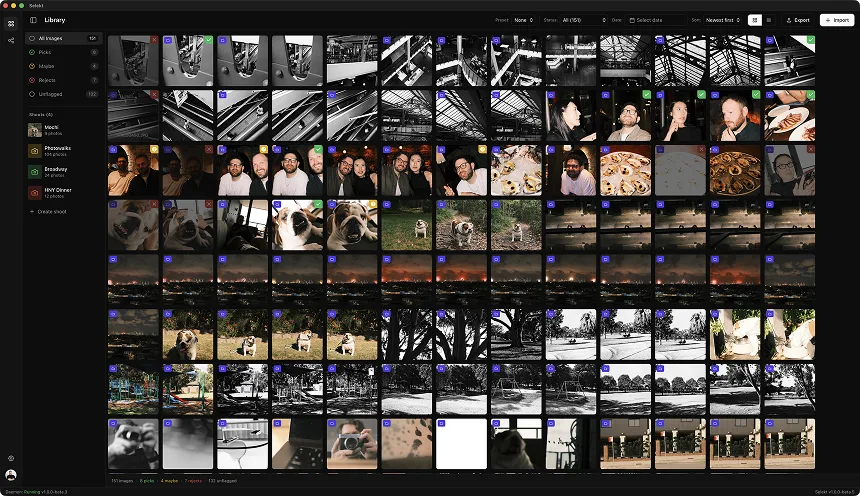
In Selekt, Auto-organize splits a shoot into scenes wherever there is a time gap you choose (1, 5, 15, or 30 minutes). Breaks between songs are usually shorter than that, so set-length gaps such as changeovers between bands split more reliably than individual songs. Check the result, then split or rename scenes by hand where you need song-level structure.
This changes the problem fundamentally. Instead of finding 50 keepers in 3,000 frames, you're finding 2-5 keepers in each of 20 scenes. That's a task your brain can actually handle.
Step 2: the technical rejection pass
Your first pass through each scene should be pure technical triage. You're not judging composition or moment yet - you're eliminating the frames that can't be saved:
Immediate rejects:
- Missed focus (check at 100% on the performer's face or hands)
- Motion blur beyond stylistic tolerance
- Completely blown highlights with no detail
- Completely crushed shadows with no detail
- Autofocus locked on the wrong subject (mic stand in focus, singer soft)
- Lens flare from stage lights (unless intentional)
- Backs of heads from audience blocking the shot
Keep for now:
- Exposure slightly off but recoverable
- High ISO noise (noise reduction exists; missed focus doesn't)
- Color cast from stage lighting (that's the aesthetic, not a problem)
- Slight motion blur that adds energy rather than ruining sharpness
This pass should be fast - you're making binary technical calls, not artistic judgments. If the singer's face is soft, it doesn't matter how good the moment is. Reject and move on.
The zoom check: Concert photography requires zooming to 100% more than other genres. That thumbnail that looks fine might have focus on the guitar body instead of the guitarist's face. Build the zoom check into your muscle memory for any frame that survives initial review.
Step 3: find the peak moment in each burst
Now you're working with the technically sound frames. For each burst sequence (typically 5-20 frames of continuous shooting), you're looking for THE moment:
What makes a peak moment:
- Expression at maximum intensity - the scream, the laugh, the concentrated focus. Not the wind-up or the wind-down
- Gesture at apex - hand at the top of a motion, not mid-swing
- Eyes visible and engaged - looking at the audience, the other band members, or lost in the music. Not looking down at the fretboard (usually)
- Instrument position - guitar necks, drumsticks, mic positions that create strong lines
- Lighting sync - the moment when the stage lights happen to be flattering, not washing everything out
Side-by-side comparison: Concert bursts are where comparison view earns its keep. Put two adjacent frames next to each other: which one has the better expression? The sharper focus? The cleaner background? Pick and move on.
The goal is one keeper per burst, maybe two if there are genuinely different moments. If you're keeping five frames from a single burst, you're not culling - you're deferring decisions.
Step 4: variety check across the set
After picking your best moments, step back and look at the whole set. A good concert edit has:
Visual variety:
- Wide shots showing the stage and crowd energy
- Medium shots showing the full performer
- Tight shots on faces and hands
- Different performers (if it's a band)
- Different angles (if you moved during the set)
Moment variety:
- High-energy peaks (screaming, jumping, shredding)
- Quieter intimate moments (eyes closed, acoustic section)
- Interaction (band members looking at each other, crowd engagement)
- Iconic poses and gestures that define the artist
If your edit is all tight face shots, go back and find some wides. If it's all peak-scream moments, find a quieter beat. The story of a concert isn't one sustained crescendo - it has dynamics.
Coverage minimums: For a full concert set (45-90 minutes), a solid delivery might be 30-75 final images. That's roughly one keeper per song, plus extras for particularly photogenic moments. Festivals with shorter sets (20-30 minutes) might be 15-30 images per artist.
Handling the three-song rule
Illustrative concert scenario; access rules, set lengths, and frame volume vary.
Most concert photo passes give you three songs in the photo pit before security pulls you out. That's roughly 10-15 minutes of shooting, maybe 500-1,000 frames.
The three-song constraint actually helps your cull:
Song 1: Usually the opener - high energy, crowd is fresh, artist is warming up. Often gets you the classic "arms raised, crowd behind" shot.
Song 2: Artist is settled in. This is where you get the most variety because you're not rushing to establish shots anymore.
Song 3: Last chance. Shoot more aggressively, try riskier angles, get the safety shots you might have missed.
Knowing this structure helps you evaluate: if you have 15 great shots from Song 1 and 2 from Song 3, that's fine - Song 3 often has worse light anyway as stage production ramps up. But if you have nothing from Song 2, you might be missing your best material.
The noise question
Concert photographers shoot at absurd ISOs. ISO 6400, 12800, sometimes higher. Your frames will have noise. This is not a culling problem.
Do not reject frames just because they're noisy. Noise reduction in modern software handles high-ISO grain well. A sharp, perfectly-timed frame at ISO 12800 beats a soft, mistimed frame at ISO 3200.
What matters in the cull:
- Is it sharp? Noise can be reduced; motion blur can't
- Is the moment right? Grain adds texture; bad timing adds nothing
- Are the colors workable? Weird color casts from stage lights are fixable; completely blown channels aren't
The frames you reject should be technically broken, not just grainy. Concert photography has an aesthetic tolerance for noise that other genres don't. Lean into it.
Speed benchmarks
Illustrative planning ranges, not measured performance benchmarks.
With a scene-based workflow, here's what to expect:
- Three-song pit shoot (800 frames → 30 selects): 20-30 minutes
- Full concert (3,000 frames → 75 selects): 60-90 minutes
- Festival day, multiple artists (8,000 frames → 200 selects): 3-4 hours with breaks
If you're taking longer, the culprit is usually one of:
- Not rejecting fast enough on technicals - if it's not sharp, it's not sharp. Move on
- Keeping too many from each burst - pick one, rarely two
- Not using scene grouping - flat grids kill your speed because every frame requires context rebuilding
Concert photography rewards decisive culling more than almost any other genre. The ratio of keeper to reject is brutal (often 2-3%), and second-guessing burns hours. Make your pick, trust it, deliver.
Client and publication expectations
Who you're delivering to affects your cull:
Artist or management: They want variety, coverage of all band members, and nothing unflattering. Over-deliver slightly on band coverage; under-deliver on crowd shots unless specifically requested.
Music publications: They want 1-3 hero shots per artist. Tight edit, no filler. They're running one image, maybe two. Your cull should identify the absolute best moments.
Venues: They want crowd energy, venue branding visible, and proof the event was packed. Wider shots matter more here.
Personal portfolio: You want your 3-5 best images per show. The frames that make someone stop scrolling. This is the most aggressive cull - you're building a highlight reel, not delivering coverage.
Know which you're culling for before you start. A management delivery and a portfolio cull use the same source material but produce completely different outputs.
The bottom line
Concert photography culling is a war against chaos. The lighting fights you, the autofocus fights you, the volume fights you. The only way to win is to impose structure and move fast.
Scene-based grouping turns the chaos into song-sized chunks. Technical rejection eliminates the frames that were never going to work. Burst-level selection finds the peak moments. Variety checks ensure the edit tells a story, not just a highlight.
Selekt is built for this kind of high-volume, high-chaos culling. Time-based scene detection handles the song breaks automatically. Keyboard-driven navigation keeps you moving. Side-by-side comparison catches the subtle differences between adjacent burst frames. And you're out of the cull and into the edit faster than any grid-scrolling workflow allows.
The pit gives you three songs. Make the cull give you back your evening.