Event photography culling: how to deliver 300 photos from 3,000 without the all-nighter
A practical culling workflow for corporate events, conferences, galas, and parties. How to sort through thousands of candid shots and deliver a polished set fast.
Corporate events, conferences, galas, product launches, company parties — event photography sits in an awkward middle ground. You're not shooting a wedding with its predictable timeline and emotional peaks. You're not shooting sports with its clear action sequences. You're shooting three hours of people talking, eating, laughing, and occasionally doing something photogenic, and you need to deliver a set that makes it all look amazing.
The result? 2,000-4,000 frames of candids, stage moments, decor, and grip-and-grins, and a client who wants 200-400 polished images by Monday morning. Here's how to cull event photography without losing your weekend.
Why event photography culling is uniquely painful
Every photography genre has its culling challenges, but events are distinctly difficult for three reasons:
1. No clear hero moments. Weddings have the first kiss. Sports have the winning goal. Events have... a CEO giving a keynote that looks identical in 47 consecutive frames. The difference between a great shot and a mediocre one is a subtle shift in expression or gesture, not an obvious peak action.
2. Mixed lighting everywhere. You'll shoot under conference room fluorescents, stage spotlights, ambient restaurant lighting, and outdoor twilight — sometimes all in the same event. This means exposure varies wildly between scenes, making it harder to evaluate images at thumbnail size.
3. People you don't know. Wedding photographers know the couple, the family, the wedding party. At a corporate event, you might not know which attendee is the CEO's biggest client and which is the intern. Every face could matter. This makes aggressive culling feel risky — what if you reject the one candid of someone important?
Step 1: scene-split by event phase
Before reviewing a single image, organize your shoot chronologically by event phase. Every event follows a rough structure:
- Venue/setup: decor, signage, table settings, stage — before guests arrive
- Arrivals and registration: guests entering, name badges, early networking
- Keynote/presentations: speakers on stage, audience reactions, slides
- Breakout sessions/panels: smaller rooms, Q&A, panel discussions
- Networking/social: mingling, conversations, drinks, canapés
- Dinner/seated events: table shots, plated food, centerpieces
- Entertainment/awards: performances, award presentations, toasts
- End of night: farewells, candids, venue wide shots
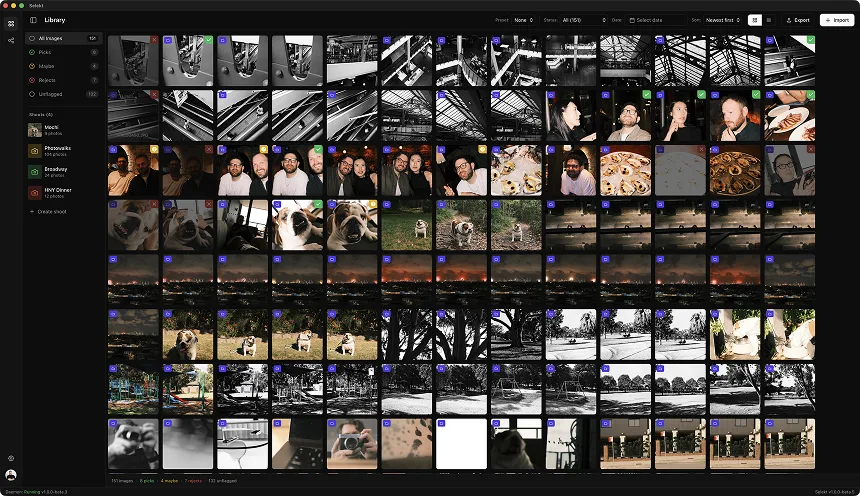
Selekt's time-based scene detection handles this naturally. Gaps between shooting bursts — walking between rooms, waiting for a speaker to take the stage, moving to a new area — create automatic scene boundaries. What you get is clusters that roughly map to the event's actual flow.
This matters because your client thinks in terms of event phases, not frame numbers. "Did you get good shots of the panel discussion?" is answerable when your images are grouped by scene. It's a guessing game when they're in a flat grid.
Step 2: the venue and decor pass (5 minutes)
Start with the easy wins. Venue and setup shots are typically your first 50-100 frames. You need 5-10 keepers maximum: a wide establishing shot, a few detail shots (floral arrangements, branded signage, table settings), and maybe a stage/podium setup.
These shots are straightforward to cull because the criteria are simple: sharp, well-composed, good exposure. Pick the best of each setup, reject the rest, move on. Don't spend more than 5 minutes here.
Pro tip: Clients consistently undervalue these shots during the event ("who cares about the empty room?") and then consistently use them in marketing materials afterward. Always deliver venue shots, even if nobody asked for them.
Step 3: the speaker and stage pass (15-20 minutes)
Keynotes and presentations generate a lot of frames because you're shooting continuously during a 20-45 minute talk. The problem: speakers don't move much. You end up with hundreds of frames of the same person at the same podium, where the only difference is whether their mouth is open, closed, or in an unflattering mid-word position.
What to look for:
- Gesture shots: hands raised making a point, leaning forward for emphasis, natural movement
- Expression: genuine smiles, engaged eye contact with the audience, confident posture
- Variety: wide shot with audience visible, medium shot showing the stage setup, tight shot for headshot-quality framing
- Audience reactions: cutaway shots of people laughing, nodding, or leaning in. These are gold for event marketing
- Slides/screen: one or two shots showing the presentation screen clearly (clients always want these)
What to reject immediately:
- Mid-blink, mid-word with mouth in awkward position
- Looking down at notes (unless it's an artistic candid choice)
- Same gesture/expression as the previous pick — if you already have a "hand raised making a point" shot, skip duplicates
- Back of someone's head blocking the speaker
Use side-by-side comparison for the tough calls. Two nearly identical podium shots? Zoom in on the face. One will have a slightly better expression. Pick it and move on.
Step 4: the networking and candid pass (20-30 minutes)
This is where event culling gets hard. Networking and social portions produce the most frames and the most ambiguity. Two people talking looks almost the same whether it's an incredible candid or a throwaway.
The rule of three: For any group of people you photographed during networking, you typically need at most three keepers:
- A wide contextual shot showing the group and the environment
- A tighter shot with good expressions — people engaged, laughing, or making eye contact
- An alternative angle or composition for variety
If you shot 15 frames of the same three people talking, you're picking 2-3 and rejecting 12-13. That's the math of event culling.
Expression is everything. In networking candids, the hierarchy is:
- Genuine laughter or animated conversation (everyone looks good)
- Engaged eye contact between subjects (connection and warmth)
- Natural resting expressions (acceptable but not exciting)
- Mid-speech, looking away, checking phone (reject)
Scan each scene quickly. Look for the frame where the energy peaks — the laugh, the reaction, the moment of connection. It usually stands out within 2-3 seconds of scanning a burst.
Step 5: the grip-and-grin gauntlet
Every event has them: posed group shots, handshake photos, award presentations, check exchanges. These are the least creative but most politically important shots. Miss the CEO shaking hands with the keynote speaker and you'll hear about it.
Grip-and-grin rules:
- Eyes open, mouths closed (or smiling). That's it. That's the entire quality bar. Scan the group, check every face. One person blinking = reject
- Everyone visible. No one blocked, no one turning away
- Check the hands. Handshake shots where hands are blurred or awkwardly positioned look unprofessional
- Keep 2-3 per group. Even with posed shots, people shift between frames. Pick the ones where everyone looks their best
The grip-and-grin pass should be fast because the criteria are binary. It either works or it doesn't. Don't overthink these — they're documentation, not art.
Step 6: the coverage audit
Before you call the cull done, do a quick coverage check against the event brief. Most event clients expect:
- Venue establishing shots (wide and detail)
- Every speaker on stage (at least 3-5 per speaker)
- Audience shots during presentations
- VIP/executive candids (know who matters — ask the client beforehand)
- Sponsor signage and branding visible
- Food and drink (if it was a dinner/reception)
- Entertainment or performances
- Group photos and posed shots
- Candid networking variety (different groups, not just one cluster)
- Wide room shots showing attendance and energy
If you're missing a category, go back to rejected scenes. The shot is probably there — just not the best frame in its burst. A usable coverage shot is better than a gap in the set.
Speed targets for event culling
With a scene-based workflow, here's what to expect:
- 2,000 frames → 200 selects: 45-60 minutes
- 3,000 frames → 300 selects: 60-90 minutes
- 4,000 frames → 400 selects: 90 minutes to 2 hours
Compare this to flat-grid scrolling in Lightroom, where 3,000 event images typically takes 2-3 hours because you're constantly losing context. "Who were these people? What part of the event was this?" Scene-based grouping eliminates those questions.
The biggest time-saver isn't any single technique — it's decisiveness. Event culling rewards speed because the differences between similar candids are marginal. Pick the best expression, move on, don't second-guess. Your client won't notice the difference between your first choice and your third choice in a networking candid. They will notice if delivery takes an extra day because you agonized over it.
Delivery format: what event clients actually want
Event photography clients have different expectations than wedding or portrait clients:
- Speed matters more than perfection. A next-day gallery beats a perfect gallery delivered a week later. Events are time-sensitive — they want social media content while the event is still being talked about
- Volume is expected. Unlike weddings where 400-600 final images is standard, event clients often want everything that's "good enough." A keep rate of 10-15% is normal for events versus 5-10% for weddings
- Organization by phase. Deliver images grouped by event section, not as a flat dump. Your scene-based cull translates directly into client-friendly organization
- Include the boring stuff. Sponsor banners, signage, branded materials, crowd shots. These have marketing value even if they're not exciting photographs
- Quick turnaround on VIP shots. If the CEO or keynote speaker needs a headshot-quality image immediately, flag those during culling and process them first
Selekt's export workflow lets you send selects directly to your editing tool with the scene structure preserved, so the organization you built during culling carries through to delivery.
Related
Ready to speed up your culling?
Selekt is a free photo culling app for macOS & Windows with keyboard shortcuts, AI tagging, and Lightroom export.
Download free