Workflow··7 min read

How to cull 5,000+ sports photos without losing your mind

A practical workflow for culling high-volume sports and action photography. From burst sequences to peak-action selects, how to go from thousands of frames to a tight edit fast.

You just shot a football match, a track meet, or a weekend tournament. Your card has 5,000 frames. Maybe 8,000. The action is over, the adrenaline is wearing off, and now you're staring at a wall of nearly identical images wondering where to start.

Sports photography generates more frames per hour than almost any other genre. Burst mode at 20-30fps means a single play produces dozens of frames where the difference between a keeper and a delete is measured in milliseconds. Traditional culling approaches — scrolling through a flat grid — fall apart at this volume.

Here's a workflow that actually works.

The volume problem in sports photography

Let's be honest about the numbers. A typical sports photographer at a single event might shoot:

  • Football/soccer match: 3,000-6,000 frames in 90 minutes
  • Basketball game: 2,000-4,000 frames in 48 minutes of play
  • Track and field meet: 4,000-8,000 frames across multiple events
  • Tennis match: 1,500-3,000 frames per set
  • Tournament weekend: 10,000-20,000 frames across multiple days

The deliverable? Usually 50-200 final images. That's a keep rate of 1-4%. Which means 96-99% of your frames need to go. The question isn't whether to cull aggressively — it's how to do it fast without missing the moments that matter.

The problem with flat-grid culling (Lightroom's default approach) is that a 5,000-image grid gives you zero context. Frame 2,847 means nothing. But "the third burst sequence from the second-half kickoff" means everything. Context is how sports photographers think, and your culling tool should match that.

Step 1: import and scene-split by game phase

Before you look at a single image, organize by context. Sports events have natural phases that create logical scene boundaries:

Team sports: warm-up → first half → halftime → second half → post-game. Within each half: key plays, set pieces, celebrations.

Individual sports: warm-up → event/heat → recovery → next event. For track: each race is its own scene.

Tournament coverage: separate by match/game first, then by phase within each.

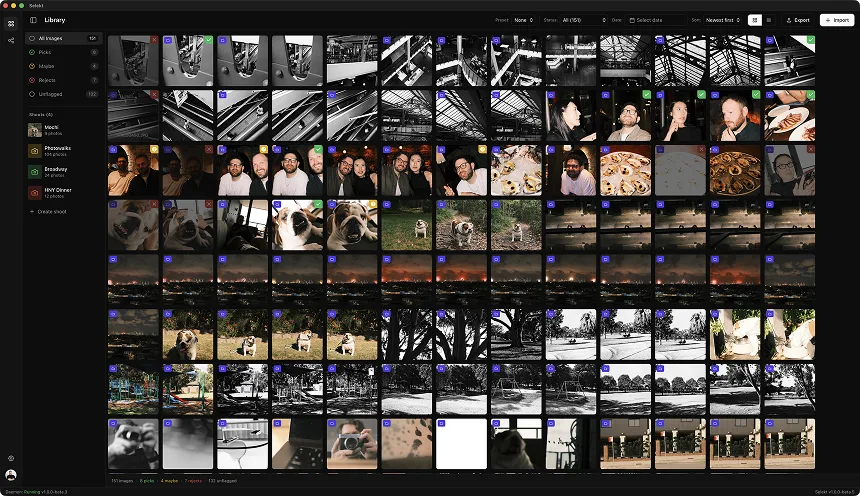
In Selekt, import your card and let the time-based scene detection split your images automatically. A burst sequence shot at 20fps clusters naturally — the gap between bursts (even a few seconds) creates clear scene boundaries. What you get is groups of 15-40 frames that represent a single play or moment, not a sea of 5,000 thumbnails.

This single step transforms the problem from "find 100 keepers in 5,000 images" to "find the best 1-2 frames in each of these 200 sequences." That's a fundamentally easier task.

Step 2: the burst-sequence elimination pass

Now the actual culling. Within each scene (burst sequence), you're looking for one thing: peak action.

The 3-second rule: For each burst sequence, you can usually identify the peak frame within 3 seconds of scanning. The ball at maximum height. Full extension of the jump. The moment of contact. Your eye finds it because you were there — you know what the moment was.

Work through each scene with keyboard shortcuts:

  1. Scan the sequence — arrow keys to flip through frames quickly
  2. Identify the peak — P to pick the best frame
  3. Check ±2 frames — sometimes the frame immediately before or after the obvious peak is actually sharper or has better composition
  4. Move on — next scene, repeat

Don't agonize. Sports culling rewards decisiveness. If you can't choose between two frames in a burst, pick both and decide later. The goal of this pass is elimination, not perfection.

Pro tip: Selekt's side-by-side comparison is invaluable here. When two frames from the same burst look nearly identical, put them side by side and zoom to the point of focus. One will be sharper. One will have the subject's eyes open. One will have the ball in a better position. The comparison makes it obvious; the grid makes it a guessing game.

Step 3: the technical quality pass

Once you've picked your peak-action frames (one pass through all scenes), do a quick technical review of your picks:

  • Focus check: Zoom to 100% on the subject. Is the eye/face sharp? Sports images live or die on sharpness at the point of interest. A perfectly timed frame that's slightly soft isn't usable
  • Motion blur: Some motion blur in limbs is fine and even desirable — it conveys speed. But blur on the face or the ball/puck at the critical moment is a reject
  • Exposure: Quick glance at highlights. Blown-out jerseys in harsh stadium lighting? Might be recoverable from RAW, might not. Flag questionable ones
  • Obstructions: Referee's arm across the subject. Net/fence in the way. Other players blocking the moment. These are easy misses in the heat of shooting

This pass is fast because you're only reviewing your picks from step 2, not the entire set. If you picked 200 frames from 5,000, you're reviewing 200 — a 4% subset.

Step 4: the narrative edit

For client delivery or publication, you need variety. Five incredible shots of the same player scoring won't satisfy an editor who needs to tell the story of the whole game.

Review your remaining picks scene by scene and ensure coverage:

  • Both teams/competitors represented (unless you're specifically covering one)
  • Variety of action types: scoring, defense, athletic moments, emotion, celebration
  • Establishing shots: wide shots that show the venue, the crowd, the scoreboard
  • Emotion: reactions, celebrations, disappointment. These often matter more than the action shots
  • Quiet moments: bench scenes, coaching, warm-up. These round out a set

If you're missing a category, go back to your rejected scenes and see if there's a usable frame you passed over. Sometimes the best storytelling image isn't the most technically impressive one.

Dealing with multi-camera setups

Tournament and sideline photographers often shoot with two bodies — a long lens for tight action and a wider lens for context. This doubles your frame count and adds a sorting challenge: interleaved sequences from different focal lengths.

The fix: import both cards separately or use scene detection to naturally separate them. Time-based clustering handles this well because you're rarely firing both cameras at the exact same millisecond. Each burst from each body forms its own cluster.

When comparing across cameras for the same moment, side-by-side comparison lets you quickly decide: does this moment work better tight or wide? Sometimes you'll keep both. Usually one is clearly stronger.

Speed benchmarks: what to expect

With a scene-based workflow, here's what experienced sports photographers report:

  • 5,000 frames → 100 selects: 45-60 minutes
  • 3,000 frames → 80 selects: 30-40 minutes
  • 10,000 tournament frames → 250 selects: 2-3 hours across sessions

Compare this to flat-grid scrolling in Lightroom, where the same 5,000-frame cull typically takes 2-3 hours because every frame requires individual context-building. You're constantly asking "what was this sequence about?" instead of seeing it grouped and obvious.

The scene-based approach doesn't just feel faster — it's structurally faster because it eliminates the cognitive overhead of reconstructing context from a flat timeline.

Keyboard shortcuts that matter for sports

Speed in sports culling comes from staying on the keyboard:

ActionShortcutWhy it matters
Next imageScan burst sequences fast
Previous imageQuick back-check
PickPFlag keeper
RejectXMark for deletion
CompareCSide-by-side when stuck between two
Zoom 100%ZInstant sharpness check
Next scene]Jump to next burst
Previous scene[Jump back

The scene navigation shortcuts (] and [) are the game-changer for sports. Instead of arrow-keying through 40 frames in a burst you've already judged, jump straight to the next burst. On a 5,000-frame set, this saves hundreds of unnecessary keystrokes.

The bottom line

Sports photography culling is a volume problem, and volume problems need structural solutions, not just faster scrolling. Grouping frames by scene (burst sequence) reduces a 5,000-image nightmare to 200 manageable decisions. Peak-action identification within each group is fast because your photographer's eye already knows what the moment was.

The tools that work for portrait or wedding culling — where you're evaluating individual expressions and compositions — aren't optimized for the burst-sequence pattern of sports. Look for software that understands grouping, supports fast keyboard-driven workflows, and lets you compare similar frames side by side.

Selekt was built around scene-based culling, which maps naturally to how sports photographers think about their images. The free tier includes unlimited culling; Pro adds AI tagging and cloud sync so you can start the cull on your laptop at the venue and finish on your desktop at home.

Your frames aren't getting any younger. Start culling.

Ready to speed up your culling?

Selekt is a free photo culling app for macOS & Windows with keyboard shortcuts, AI tagging, and Lightroom export.

Download free