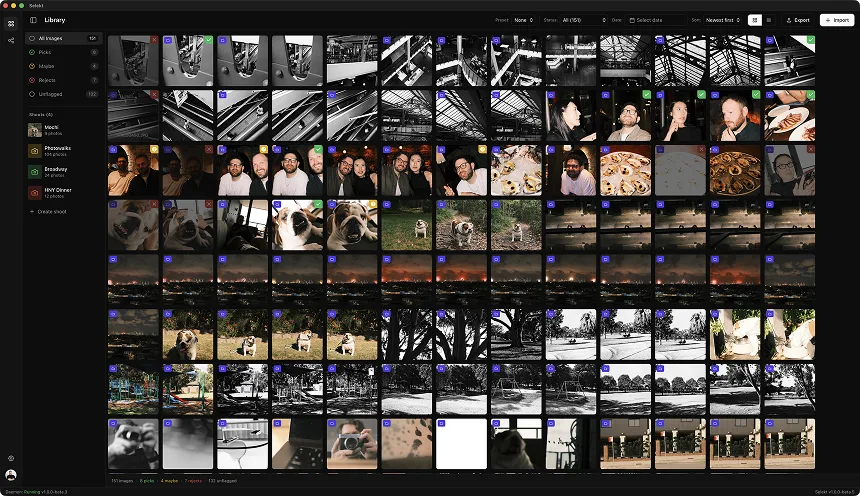
Illustrative volume-day example; subject and frame counts depend on the brief.
You just finished a corporate headshot day. Maybe 80 employees cycled through your backdrop over 6 hours, each getting 4-8 frames. Maybe a school booked you for 200 student portraits in a single morning. Maybe a tech company flew you in to photograph their entire executive team plus department leads.
Your card has 400-1,600 frames. Every subject needs exactly one (sometimes two) final images. And the client expects delivery in days, not weeks.
Volume headshot culling is factory photography - and I mean that as a compliment. The workflow that gets you through 100+ subjects efficiently isn't creative exploration. It's systematic execution with zero wasted motion.
Why volume headshot culling is different
Volume headshot sessions have unique characteristics that demand a specific approach:
Consistency matters more than perfection. When 80 headshots appear on a company website together, matching lighting, crop, and expression quality across the set matters more than any individual frame being exceptional.
Every subject gets exactly N finals. The math is simple: 100 subjects × 1 headshot = 100 selections. No "bonus" shots. No extra options. One winner per person.
Subjects don't know their best angle. Unlike portrait sessions where you work with the client to find flattering poses, volume subjects cycle through fast. You shot variations specifically to find the one where their eyes are open, their smile looks natural, and their chin is at a flattering angle.
Speed is non-negotiable. Volume headshot clients have tight timelines - the company rebrand launches next week, the school yearbook deadline is in 5 days, the conference website goes live Friday. You can't spend 2 minutes per subject.
The cull IS the creative decision. You didn't have time to art direct each subject extensively. The culling phase is where you make them all look good by picking the best execution from your systematic variations.
Step 1: organize by subject
Before anything else, your images need to be grouped by person. Depending on your shooting approach, this is either automatic or requires a quick pass.
Time-gap detection (automatic): If you paused between subjects while they swapped places, time-based scene detection creates natural groupings. The 30-60 second pause while Subject A leaves and Subject B sits down creates a clear boundary.
Tethered shooting with naming: If you tethered and entered subject names/IDs, your folder structure already exists.
Manual grouping: If you shot continuously with minimal breaks, you'll need to manually split scenes by subject. Look for the frame where clothing/face changes - that's your cut point.
Why this matters: Volume culling is per-subject, not per-session. You're making 100+ independent "pick the winner" decisions. Trying to view 600 frames as a single timeline is overwhelming. Viewing 100 groups of 6 frames each is manageable.
Step 2: the systematic first pass (10-15 seconds per subject)
Review prompts, not fixed sub-second targets.
Volume headshot culling lives or dies on your first pass speed. For each subject's 4-8 frames:
Immediate reject criteria (less than 1 second per frame):
- Eyes closed or mid-blink
- Mouth caught mid-word or in awkward position
- Major expression fail (grimace, deer-in-headlights, forced smile)
- Obvious technical fails (motion blur, severe focus miss)
What survives to consideration:
- Eyes open, looking at camera (or as directed)
- Natural or pleasant expression
- Technically acceptable (focus, exposure)
Target: narrow to 2-3 candidates in under 10 seconds.
Most subjects will have 1-2 obviously better frames and 3-4 obvious rejects. The decision often makes itself. Don't overthink the clear cases - move on.
If all frames are problematic: Flag the subject for review but don't stop your flow. You'll handle edge cases after processing the batch.
Step 3: the winner decision (5-10 seconds per subject)
From your 2-3 candidates, pick one. For volume headshots, the decision criteria are straightforward:
Priority 1: Expression quality Which frame has the most natural, approachable expression? Genuine smile beats forced. Relaxed eyes beat tense. Confident beats uncomfortable.
Priority 2: Flattering angles Chin position, head tilt, catchlights in eyes. Some frames just look better for that person's face shape.
Priority 3: Technical execution If expressions are equal, pick the frame with sharpest eye focus, best highlight detail, cleanest background.
The volume headshot truth: In most cases, Priority 1 decides it. The frame where they actually looked relaxed is the frame you deliver. Technical variations between candidates are usually negligible.
If you genuinely can't decide: Pick either. Two equally good frames = pick the first one and move on. The subject won't know there was a choice, and you've already spent more time than the decision warrants.
Step 4: consistency sweep
After processing all subjects, review your selections as a set:
Crop consistency: Are all headshots framed similarly? Same headroom, same subject size, same crop boundaries? Variations will be obvious when displayed together.
Lighting consistency: Did your lighting shift during the session? Flag any selections that look noticeably different - brighter, darker, different color temperature.
Expression range: Does the set have consistent "energy"? If 78 people look professional and relaxed, but 2 people look like they're posing for a dating profile, those 2 will stand out.
Go back to alternates if needed: If a selection doesn't match the set, revisit that subject's candidates. The "best" individual frame might not be the right choice for the cohesive set.
This sweep takes 2-3 minutes for a 100-person session. It's worth it - you're the quality control before the client sees the results.
The express lane: when you shot clean
Optional fast-pass exercise, not a performance guarantee.
Sometimes you nail the lighting, the subjects were cooperative, and every frame set is clean. In these cases, volume culling can go even faster:
The 3-second decision: Scan the 4-6 frames, spot the winner (usually obvious), mark it, move on. No comparison needed.
Trust your shooting rhythm: If you consistently fired on the "right" moment during the session, your 3rd or 4th frame of each subject is probably the winner. Check it first.
Skip the consistency sweep: If you're confident your lighting was stable, reviewing 100 identical-looking headshots for consistency is unnecessary.
Express lane timing: 100 subjects × 3-5 seconds = 5-8 minutes total culling time. This is achievable with clean shooting and decisive culling.
Edge cases and problem subjects
Every volume session has a few difficult subjects. Handle them efficiently:
The blinker: Someone who blinks in every frame. Look for the micro-moment between blinks. If nothing works, pick the frame with most-open eyes and flag for minor retouching.
The awkward smiler: Forced expressions in every frame. Pick the least forced, or look for the moment right after they stopped "trying" - sometimes the exhale frame is better than the smile frame.
The mover: Someone who shifted position between frames. Pick the frame with best body position even if expression isn't ideal - composition issues are harder to fix than expression retouching.
The glasses problem: Glare in every frame. Pick the frame with least glare on the eyes specifically - glare on the lens edge is less distracting than glare blocking the eyes.
No usable frames: It happens. Flag for the client conversation: "Subject 47 blinked in all frames - recommend quick re-shoot or select with eyes at 80%."
Don't let edge cases derail your flow. Flag them, keep moving, address them after you've processed the straightforward 90%.
Delivery benchmarks
Illustrative planning ranges, not industry benchmarks.
| Session Type | Subjects | Frames/Subject | Total Frames | Target Cull Time |
|---|---|---|---|---|
| Corporate headshots (small) | 20-40 | 4-6 | 80-240 | 15-25 min |
| Corporate headshots (large) | 60-150 | 4-8 | 240-1,200 | 35-60 min |
| School portraits | 100-300 | 3-5 | 300-1,500 | 40-75 min |
| Team/department photos | 30-80 | 5-8 | 150-640 | 20-40 min |
| Executive portraits | 10-25 | 8-15 | 80-375 | 20-35 min |
Per-subject timing:
- Clean session: 3-5 seconds/subject
- Typical session: 10-20 seconds/subject
- Difficult session: 20-40 seconds/subject
If you're exceeding these times, you're either:
- Not rejecting obvious failures fast enough (spend <1 sec on clear rejects)
- Over-comparing between acceptable candidates (just pick one)
- Missing the organization step (unsorted images = slow decisions)
Working with subject lists and IDs
Volume headshot clients often provide subject lists with specific requirements:
Numbered/named subjects: If the client provided a roster, verify your selections match the list. Missing Subject 43? Check your scene groupings - they might have been merged with another subject.
Priority subjects: Executives, featured team members, VIPs. These might warrant extra attention or 2 deliverables instead of 1. Clarify before culling.
Optional re-shoot list: Some clients want to know who might need another shot. Flag edge cases as you go rather than making a second pass.
The export question: Clients often want files named with subject ID/name. Handle this in export, not in culling - your culling workflow shouldn't slow down for file naming.
Common volume headshot culling mistakes
Spending too long on easy decisions. If one frame is obviously better, don't compare the others. Mark and move.
Treating every subject like a portrait session. Volume headshots aren't art projects. You're finding the acceptable frame, not the perfect one.
Breaking flow for edge cases. Problem subjects should be flagged and handled after the main pass, not in the middle of it.
Skipping the consistency check. 5 minutes reviewing the set saves the embarrassment of delivering mismatched crops or lighting.
Over-delivering options. Client asked for 1 headshot per person. Delivering 2-3 and "letting them choose" creates work for them and undermines your professional judgment.
Not trusting your shooting. If you shot systematically (frame 1 = test, frames 2-4 = variations, frame 5 = safety), lean on that system. Frame 3 is probably the winner more often than not.
Speed techniques for volume headshots
Optional pacing pattern, not a measured speed guarantee.
Keyboard only. Arrow keys to navigate, P to pick, X to reject. Mouse usage kills volume efficiency.
1-2-done rhythm. For each subject: scan all frames (1 second), compare top 2 (2-3 seconds), mark winner, move on. This rhythm becomes automatic.
Trust the obvious. When one frame is clearly better, don't validate by checking the others. Mark it and move.
Process in batches. Do 25 subjects, take a 30-second break, do 25 more. Mental fatigue causes slow decisions.
Reject before comparing. Clear the obvious failures before looking at candidates. 6 frames become 2-3 frames, and 2-3 frames is an easy decision.
Use comparison view for ties only. Most subjects have a clear winner without side-by-side. Save comparison view for the genuine toss-ups.
What Selekt does for volume headshots
Selekt can support a volume-headshot workflow with manual scenes, related-frame groups, keyboard rating, and a grid for reviewing consistency. Check and correct group boundaries rather than assuming timing will identify every person automatically. Measure the complete cull and export on a representative job; fixed comparisons with Lightroom are not evidence of the result on your files and hardware.