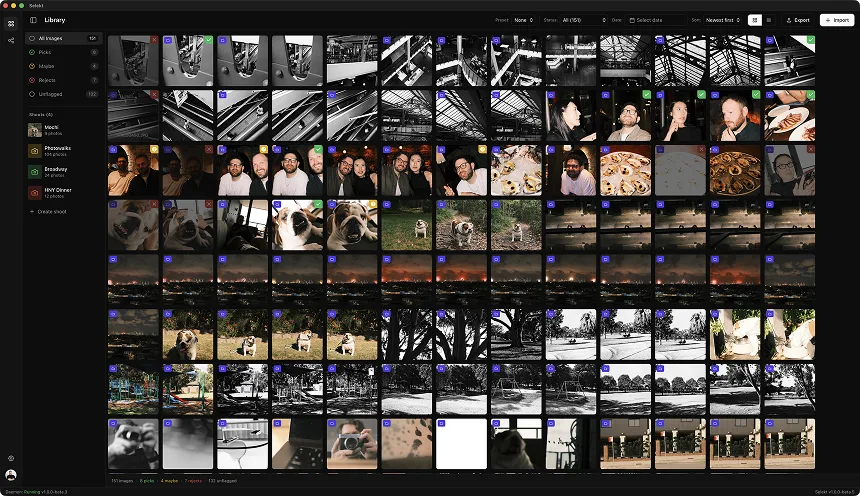
Three photographs taken close together can look interchangeable in a thumbnail grid. They stop being interchangeable once you decide what the photograph needs to communicate. In this sequence, the runners move through the frame while spectators and a dark foreground obstruction compete for space.
For this walkthrough, the brief is simple: choose one frame of the runner in the pale pink shirt left of centre, keeping their face and bib clear. These are editorial choices for this example, not AI results or the photographer’s original picks.
Frame 1: a readable stride, but the bib is covered
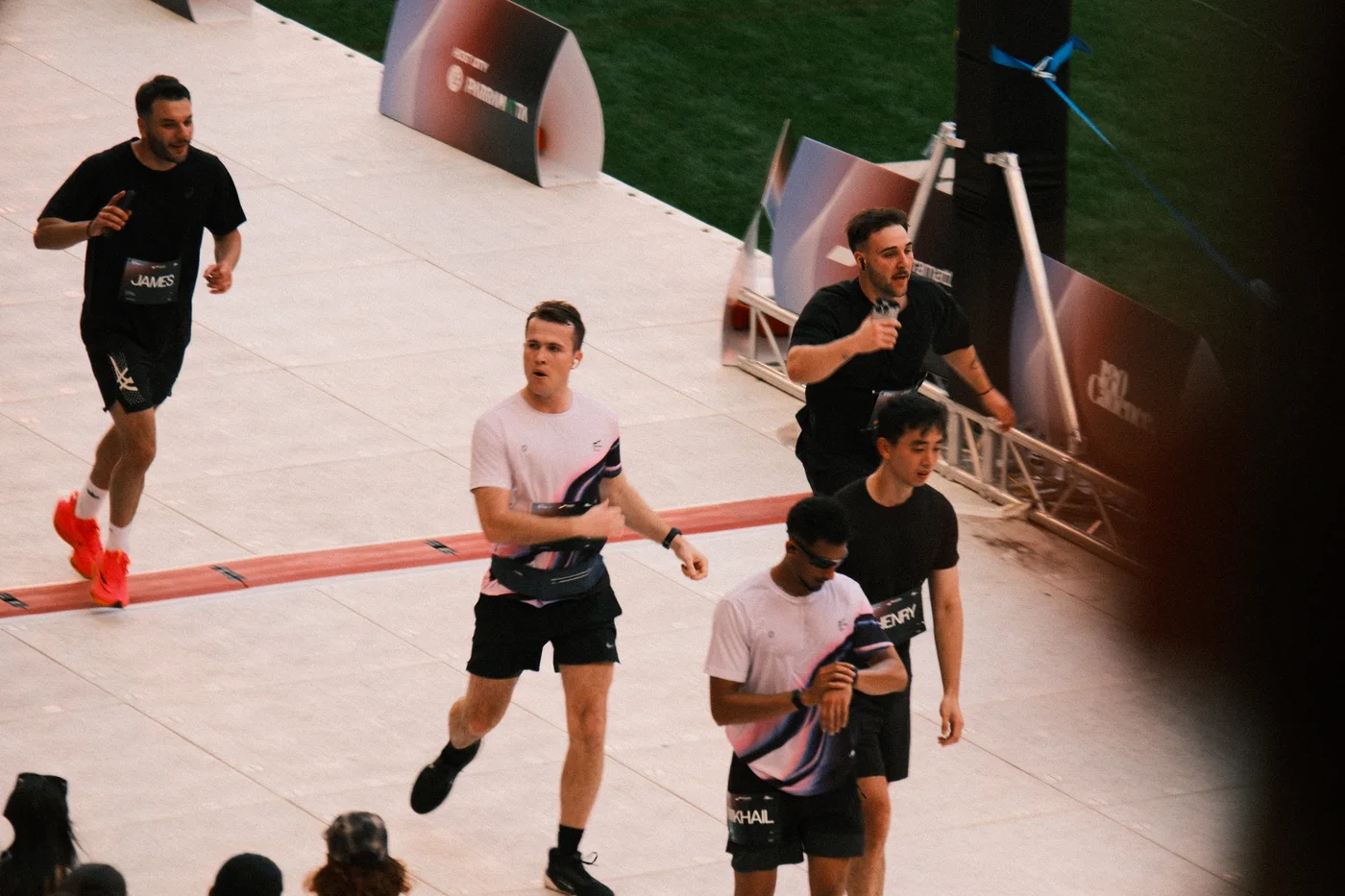
The runner’s legs are separated, and the face is clear of the people behind. That gives the frame a useful sense of movement. But the forearm lies across the bib. If identification is part of the brief, that is a concrete reason to inspect the next photograph.
There is also a dark obstruction along the right edge. It affects the runner at the back more than our chosen subject. A technical score cannot decide whether that obstruction matters to this particular deliverable.
Frame 2: the strongest fit for this brief
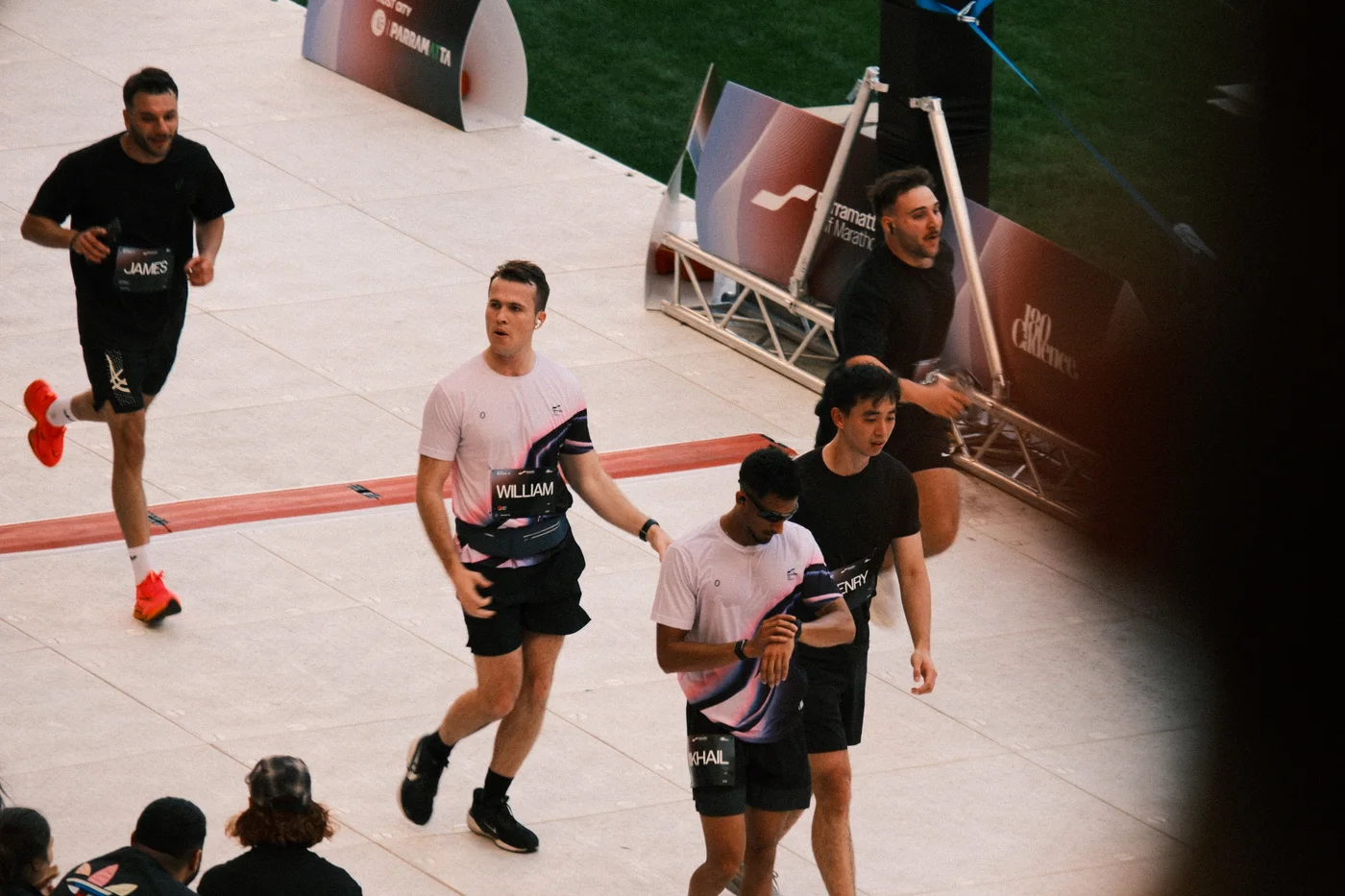
Here the central runner’s arm has moved away from the bib. Their face remains unobstructed, and the legs still communicate forward movement. For our one-athlete brief, this is the frame we would carry into the next review pass.
The choice is conditional. If the assignment were a clean photograph of everyone in the group, the overlap on the right would still be a problem. Picking a frame does not turn it into the best answer to every possible brief.
Frame 3: more overlap changes the balance
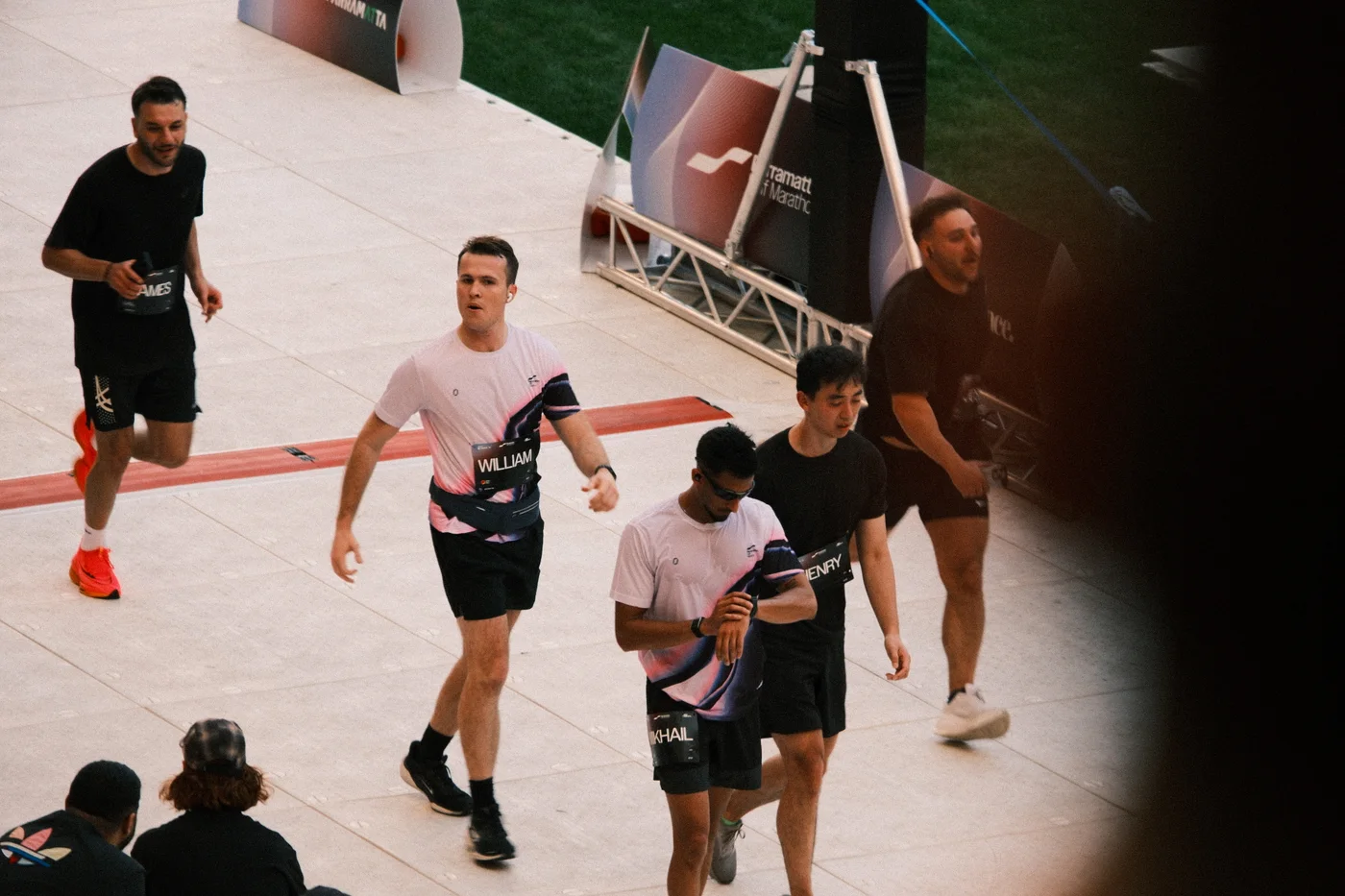
The bib is still visible, but the foreground runner now sits closer to our subject. The group feels more compressed, and the dark obstruction covers more of the runner at the back. For this brief, it does not add something we need beyond frame 2.
That makes it an alternative to set aside for this delivery. It does not mean deleting the original. A later request for another athlete could give one of the surrounding frames a different purpose.
Now inspect the technical detail
Make the first comparison at a size where you can read the whole composition. Then inspect the subject’s face and the detail required for the output at 100%. These web images are resized derivatives; do not use them to judge the original files’ focus or final print quality.
In Selekt, use the related-frame group to keep the sequence together. Press Space for Quickview, then click the photograph for the 100% loupe. Mark P for a pick or M while you are undecided; U clears the status. Local focus, exposure, and blur signals can direct attention to a potential issue, but they do not know which athlete your client asked for.
We have not run or reported an AI score for this sequence. The comparison above is about what is visibly different between frames.
Turn the decision into a repeatable culling habit
- Write the purpose of the selection in one sentence: the athlete, moment, or story you need.
- Compare adjacent frames for body position, overlap, expression, and distracting edges.
- Check critical detail in the original file before committing.
- Keep another frame only if it serves a different need.
- Review the final set together: one good burst selection does not guarantee complete event coverage.
This is where grouping earns its place. It gives you a manageable set of related choices. The brief gives you a reason to choose. Read the sports culling workflow for the wider process, or try the desktop app with a backed-up shoot of your own.